

Exploring the Power of Salesforce CRM Analytics
Introduction
In today’s business environment, data is one of the most valuable assets an organization can have. Companies generate large amounts of information every day through sales activities, marketing campaigns, customer interactions, and operational processes. However, collecting data alone is not enough. Businesses need tools that can transform raw information into actionable insights that support smarter decision-making. This is where Salesforce CRM Analytics becomes an essential solution.
Understanding Salesforce CRM Analytics
Salesforce CRM Analytics is a business intelligence and analytics platform designed to help organizations centralize and analyze data from multiple sources. Unlike traditional reports, CRM Analytics provides dynamic visualizations, AI-driven insights, and customizable dashboards that allow users to interact with their data more effectively.
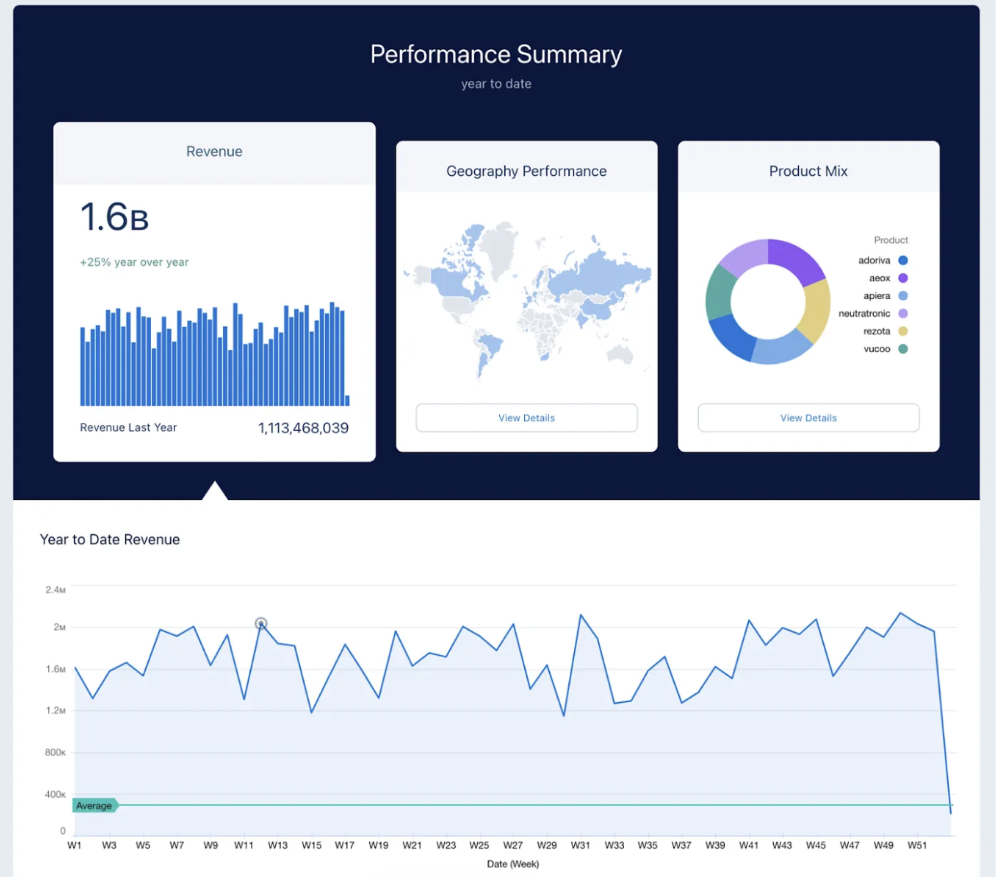
The platform is widely used by sales, marketing, customer service, and management teams to monitor KPIs, measure performance, and identify opportunities for improvement. Since CRM Analytics is fully integrated into Salesforce, users can access insights directly within their CRM workflows without switching between systems.
The Importance of Datasets
One of the core components of CRM Analytics is the use of Datasets. Datasets act as the foundation for dashboards and analytics by storing transformed and structured data. Businesses often combine information from multiple Salesforce objects such as Leads, Opportunities, Accounts, Campaigns, Cases, and custom objects into a single dataset.
Datasets allow organizations to:
-
Centralize information from different sources
-
Improve reporting performance
-
Create reusable analytical models
-
Support advanced calculations and KPIs
-
Simplify dashboard creation
For example, a marketing analytics dataset may combine campaign costs, lead conversions, and opportunity revenue to calculate campaign ROI and performance metrics.
Building Data with Recipes
To create and prepare datasets, CRM Analytics provides tools called Recipes. Recipes are visual data preparation tools that allow users to extract, combine, clean, and transform data without requiring extensive coding knowledge.
Recipes are extremely important because they help businesses organize complex Salesforce data into meaningful structures for reporting and analysis. Through Recipes, users can perform operations such as:
-
Joining multiple datasets together
-
Filtering records based on conditions
-
Creating calculated fields
-
Standardizing data formats
-
Removing duplicates
-
Applying business logic
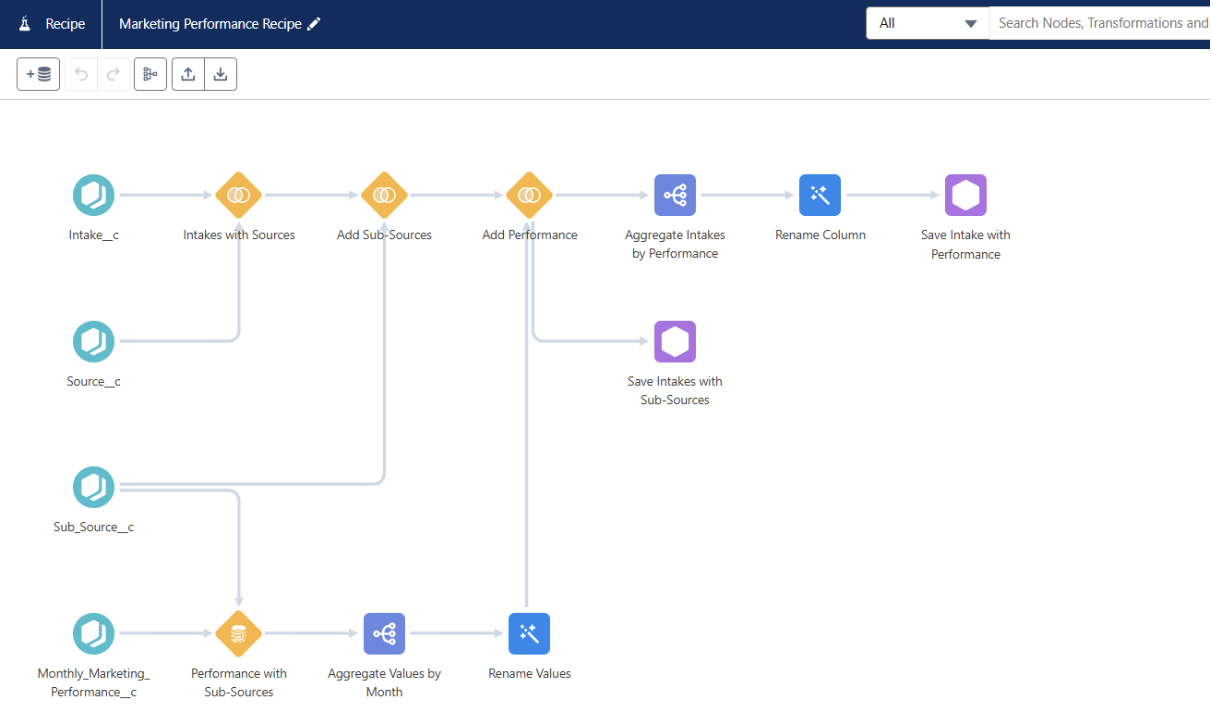
For example, a Recipe can combine Leads and Campaigns to analyze which marketing campaigns generate the highest conversion rates. Another Recipe may combine Opportunities and Accounts to track revenue performance by customer segment.
Recipes also improve maintainability because datasets and also recipes can be refreshed automatically, ensuring dashboards always display updated information.
Interactive Dashboards and Their Functionality
One of the most powerful features of Salesforce CRM Analytics is its interactive dashboards. Unlike static reports, dashboards allow users to explore data dynamically using charts, KPIs, tables, and filters.
Typical dashboard components include:
-
KPI widgets
-
Bar and line charts
-
Tables and pivot tables
-
Maps and geographic visualizations
-
Trend analysis charts
-
Funnel and pipeline visualizations
For example, a sales dashboard may display lead conversion rates, pipeline stages, opportunity revenue, and advisor performance within a single interface.
Global Filters and Dashboard Faceting
A major advantage of CRM Analytics dashboards is the use of Global Filters. Global filters allow users to apply one filter across multiple widgets simultaneously. Instead of filtering each chart individually, users can select one value and instantly update the entire dashboard.
Common global filters include:
-
Date ranges
-
Campaign names
-
Sales representatives
-
Regions or countries
-
Lead statuses
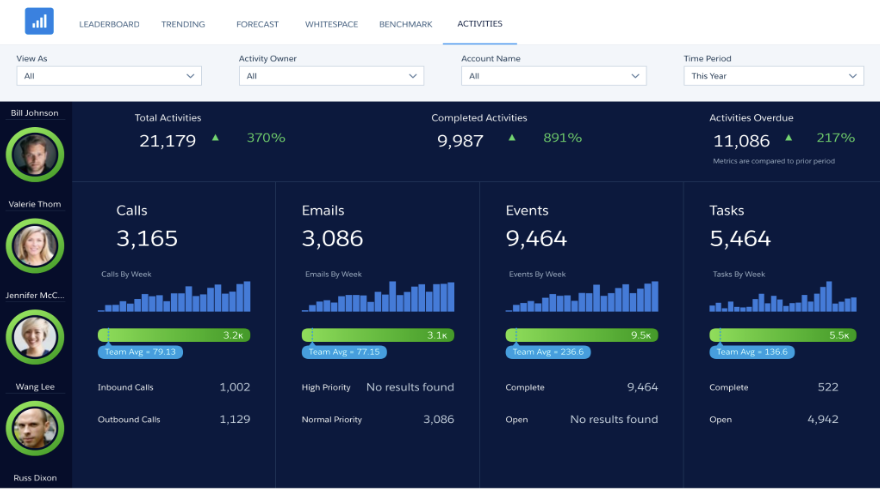
Global filters create a more connected and user-friendly analytical experience.
Another important functionality is dashboard faceting. Faceting enables interactions between dashboard widgets. When a user selects data in one chart, the other charts automatically adjust to display related information. This creates a drill-down experience that allows users to explore data relationships more efficiently.
For example, selecting a specific sales advisor may automatically update charts showing opportunities, activities, and conversion metrics related to that advisor.
Advanced Analytics with SAQL
For more advanced analytical requirements, CRM Analytics supports SAQL (Salesforce Analytics Query Language). SAQL is a powerful query language used to perform advanced filtering, aggregation, calculations, and transformations on datasets.
A basic SAQL query typically follows this structure:
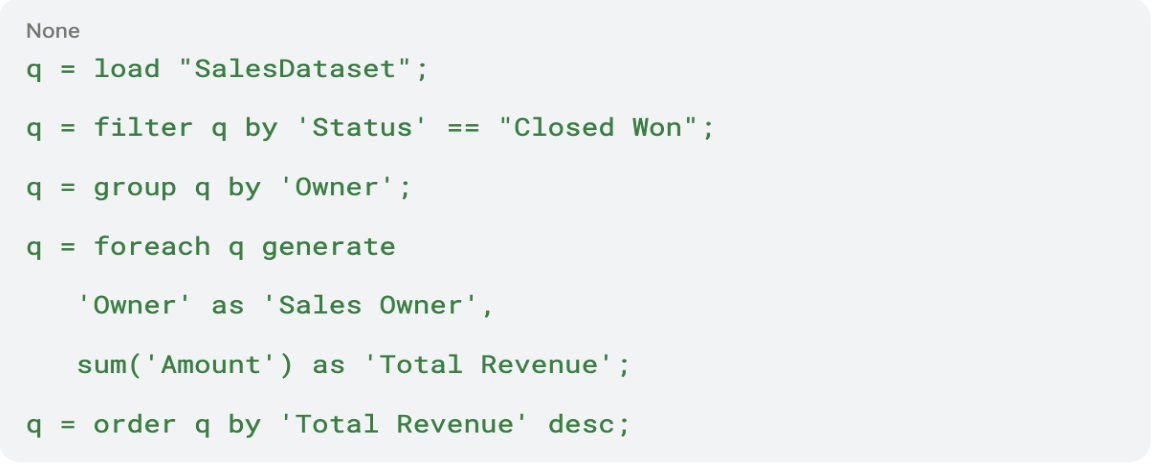
This query loads a dataset, filters records, groups the data by sales owner, calculates total revenue, and sorts the results.
Organizations commonly use SAQL to:
-
Calculate conversion rates
-
Measure campaign ROI
-
Build custom KPIs
-
Analyze pipeline trends
-
Create ranking logic
-
Perform time-based comparisons
SAQL provides flexibility beyond standard dashboard configurations and is especially useful for advanced reporting requirements.
JSON Customization and Flexibility
Another powerful capability of CRM Analytics is dashboard customization through JSON configuration. JSON allows developers and analysts to customize dashboard behavior, layouts, filters, and widget interactions.
With JSON customization, organizations can:
-
Create advanced navigation logic
-
Configure dynamic interactions
-
Customize styling and layouts
-
Improve dashboard responsiveness
-
Control filter behavior
This flexibility helps businesses create dashboards tailored specifically to their operational and reporting needs.
Conclusion
Salesforce CRM Analytics is far more than a standard reporting tool. With features such as datasets, Recipes, interactive dashboards, global filters, SAQL, JSON customization, and Einstein AI capabilities, it enables businesses to transform complex data into actionable insights. By supporting both technical and non-technical users, CRM Analytics helps organizations improve decision-making, increase efficiency, and drive smarter business strategies within the Salesforce ecosystem.