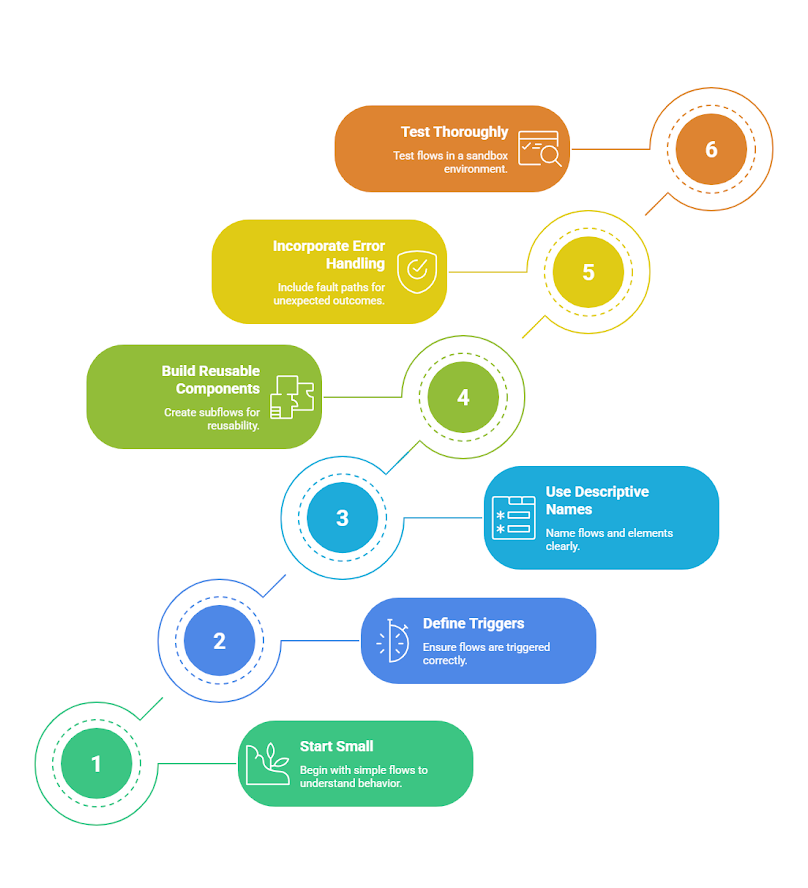
5 Salesforce Flow Best Practices Every Admin Should Know
Introduction
Salesforce Flow has become the backbone of automation across the platform. With Workflow Rules and Process Builder now fully retired, Flow Builder is the only supported declarative automation tool — and it's more capable than ever. Spring '26 even introduced AI-assisted Flow building through Agentforce, allowing admins to create and modify Flows using natural language. But more power comes with more responsibility. A Flow that works fine in testing can fail in production the moment real users and real data volumes hit it. Here are five best practices that separate Flows built to last from Flows that quietly become tomorrow's technical debt.
1. Plan Before You Build
It's tempting to jump straight into Flow Builder the moment a business requirement lands on your desk. Resist that urge. The most reliable Flows start with a few minutes of planning, not a blank canvas. Before creating a new Flow, ask:
-
What business problem is this actually solving?
-
Where does it fit into the broader process?
-
Which objects and fields will it touch?
-
What's the trigger and is that the right trigger?
Mapping this out, even informally, prevents the most common cause of Flow rebuilds: starting to build before fully understanding the requirement, then discovering halfway through that a different Flow type or structure was needed. From the projects I've worked on, this is almost always where things go wrong — not in the build itself, but in skipping the five minutes it takes to actually understand what's being asked.
2. Never Put DML Inside a Loop
This is one of the most critical technical rules in Flow design — and one of the easiest to violate without realizing it. Performing repetitive Create, Update, or Delete operations inside a loop puts you on a direct path to hitting governor limits, specifically the dreaded "too many DML statements" error. The fix is straightforward: collect records into a list variable inside the loop, then perform a single DML operation on that entire list outside the loop. This is called bulkification, and it's non-negotiable for any Flow that might process more than one record at a time — which, in production, is most of them. If your Flow calls subflows or triggers other automation, remember that those also count toward the same transaction's limits. A Flow that works perfectly with a single test record can fail entirely when a batch update hits fifty records at once. As I can tell from my experience, this exact mistake is the most common one I catch when reviewing a client's existing automation — it tests fine with one record and then quietly breaks the first time someone does a mass update.
3. Use the Right Trigger and Restrict It to What Matters
Not every Flow needs to run on every record change. Many admins default to "run whenever the record is updated," which technically works but causes Flows to fire far more often than necessary. Consider a Flow that assigns onboarding tasks when an Account reaches a certain stage. Does it really need to run every time someone edits the Account description? Almost certainly not. Two things help here:
1. Choose the correct Flow type for the job:
-
Record-triggered Flows for immediate reactions to data changes
-
Schedule-triggered Flows for batch or routine maintenance tasks
-
Screen Flows for guided user interactions
-
Autolaunched Flows for reusable logic invoked by other automation
2. Restrict execution to meaningful business events:
-
Set entry conditions so the Flow only fires when something relevant actually changes — not on every save
-
Revisit existing Flows periodically to confirm their entry conditions still match current business needs, since requirements shift and a Flow built two years ago may now be running far more often than necessary
4. Build Reusable Subflows Instead of Repeating Logic
This enables administrators to modify behavior without requiring development effort.
If you find yourself recreating the same sequence of steps across multiple Flows, that's a sign you need a subflow. Subflows let you build a piece of logic once and call it from any parent Flow that needs it — instead of duplicating (and eventually having to update in five different places).
Beyond saving build time, subflows reduce the overall number of Flows in your org, which directly helps you stay within governor limits and makes your automation easier to test and maintain. One often-cited example: a consulting firm consolidated 100 legacy Process Builders into just 20 well-architected Flows, cutting redundant logic dramatically in the process.
If you're still migrating legacy Process Builders, don't simply recreate them one-to-one in Flow. Use the migration as an opportunity to consolidate overlapping logic and apply current best practices — you'll end up with something far more maintainable than what you started with.
As of my experience, this is the step most teams skip because it feels slower upfront — but the orgs that take the time to consolidate during migration are always the ones that come back asking fewer support questions six months later.
5. Document Every Flow — and Handle Errors Gracefully
Two habits separate professional-grade Flows from ones that become a liability the moment their builder leaves the company: documentation and error handling.
Documentation doesn't need to be elaborate. Fill in the Description field on the Flow itself and on key elements. For example, a Decision element checking deal size might read: "Checks if Amount exceeds $50,000 to trigger high-value approval."
This small habit pays off later, when you or a colleague revisits the Flow and needs to understand it quickly. It also matters more now with Agentforce, which uses these descriptions to understand what your Flows do.
Error handling is just as important. Faults happen — a record locks, a required field is missing, an integration times out.
Add fault connectors on critical elements like record creates and updates. Route failures somewhere useful, whether that's a clear error message for the user, an email alert to the admin team, or a logging subflow. A Flow without fault paths doesn't fail gracefully. It just fails — leaving users confused and admins debugging blind.
From the projects I've worked on, the Flows without fault paths are always the ones that generate the most support tickets — not because they fail often, but because when they do, nobody has any idea why.
Bringing It Together
None of these practices are complicated on their own. The challenge is applying them consistently, especially now that AI-assisted Flow building makes it faster than ever to create automation without necessarily thinking through the architecture behind it.
The admins who treat Flow development with real discipline — planning ahead, avoiding DML in loops, choosing the right triggers, reusing logic through subflows, and documenting and handling errors properly — build automation that scales smoothly as their org grows. The ones who skip these steps tend to find out the hard way, usually during a data load or a particularly busy Monday morning.